Cyber Talk: Importance of strong, secure passwords
Managing all your passwords can sometimes feel overwhelming. Passwords are the key to almost everything you do online and you have multiple passwords to deal with that you use in your daily routine i.e. email, social media, file-sharing, banking and e-commerce. Choosing hard-to-crack passwords and managing them securely can sometimes seem inconvenient and problematic. Approach […]
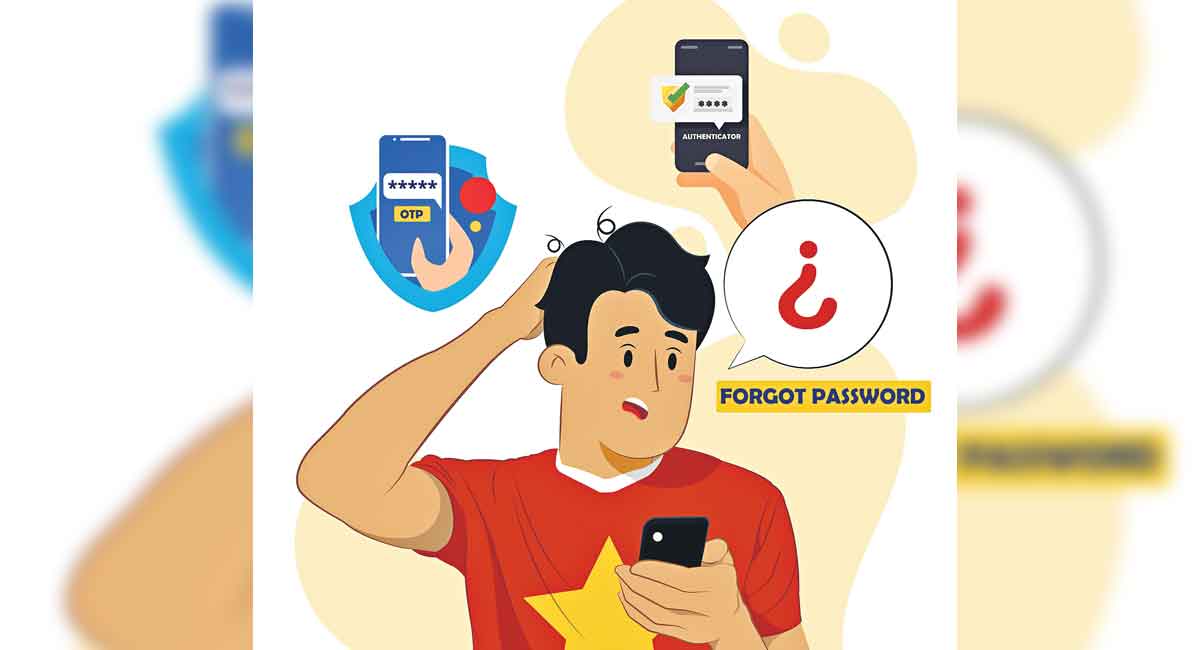


Managing all your passwords can sometimes feel overwhelming. Passwords are the key to almost everything you do online and you have multiple passwords to deal with that you use in your daily routine i.e. email, social media, file-sharing, banking and e-commerce. Choosing hard-to-crack passwords and managing them securely can sometimes seem inconvenient and problematic.
Approach to making your password stronger
The password should be a minimum of 8 characters with (Mix Characters = Capital Special Numeric Normal) i.e. “Goodboy@!321” and follow the approaches given below.
• Use the Base and Pin approach to create a unique password for each site you log in. (i.e. let’s say you are logging onto https://www.primevideo.com/), the base is “rime@” and the pin is “home@321.”
• Find a phrase that”s easy to remember (song or idiom): “Itsrainingcatsanddogs@321”
• Alternatively, you may use a password generator tool to generate a new password and most of these are provided by default by the service providers.
Password manager
A password manager is a programme that allows users to store, generate, and manage their passwords for all applications and online services. A password manager assists in generating and retrieving passwords, storing them in an encrypted database and using them on demand. Most of the services offered have army-grade AES 256-encryption to offer the highest level of security.
Broadly, there are three types of password managers. (a) Locally installed – Software installed on a laptop or smartphone that encrypts and stores credentials on an application. (b) Online services – These are installed on a server and can be accessed from any computer or device with an internet connection, allowing you to encrypt and store credentials. (c) Hardware devices – Installed on a hardware device that allows you to encrypt and store credentials.
A few benefits of using a password manager are (a) no need to remember all your credentials. (b) They notify you in the event of a forged login. (c) Generate a set of credentials at random. Change your credentials easily. (e) Using the same password manager across multiple devices.
Few reputed password managers are (a) https://lastpass.com/ (b) https://keepass.info/ (c) https://keepersecurity.com/ (d) https://pwsafe.org/ (e) https://dashlane.com/
Two-factor authentication
Two-factor authentication (2FA), is also referred to as two-step or dual-factor authentication. It is a security process in which users provide two different authentication factors to verify access. 2FA adds an additional layer of security to the authentication process by making it harder for attackers to gain access to devices or online accounts using phishing tactics.
A few types of 2FA are (a) Hardware Token: Hardware instruments that provide a new numeric code every 30 seconds. (b) SMS Text-Message and Voice-based: Sending a one-time passcode (OTP) to the user via text message. (c) Software Tokens – Software-generated time-based, one-time passcode. These are also referred to as TOTP. (d) Push Notification: Portals and applications send the user a push notification as an authentication, where the user can approve or deny access with a single touch.
Two-step verification vs. Two-factor authentication
Two-factor authentication and two-step verification are interchangeable and do seem to overlap considerably, but they aren’t quite the same. (a) Two-step verification, a user enters both a password and a one-time code that has been sent to their iPhone or other trusted device. (b) Two-factor authentication includes the authentication methods used, which are equipped with facial scan technology, which can be accessed after a fingerprint scan.
Few tips for keeping your passwords safer
• Alternatively, you can write your login credentials down in a notebook and keep track of your credentials.
• Have the habit of checking if your passwords have been stolen like Google Password Check and others as written here (a) https://passwords.google.com/ (b) https://haveibeenpwned.com/ (c) https://snusbase.com (d) https://www.avast.com/hackcheck
• Avoid common words and character combinations in your password i.e. password, welcome, city name, pet name and surname, etc.
• Length of the password should be 8 characters as a starting point, complexity still counts you are requested to include special characters, numeric and capital letters as part of your password.
• Have the habit of periodically resetting your password every quarter.
• Don’t recycle your passwords, and ensure you choose a new series every time you are asked to generate a new password.
• Use two-factor authentication (2FA), with SMS verification or use authenticators like Authy, Google Authenticator. Microsoft Authenticator and Key chain access in iOS.
• Use a reputed paid password manager to keep track of your passwords.
Now you can get handpicked stories from Telangana Today on Telegram everyday. Click the link to subscribe.
Click to follow Telangana Today Facebook page and Twitter .

Related News
-

Explainer: Is social media killing our personal style by making us all dress the same?
-
Opinion: Don’t ‘fix’ young people — understanding India’s youth mental health crisis
-
Ram Gopal Varma reacts to morphed Chuttamalle video, says focus should be on perpetrators
-
TGSRTC-Metro common pass draws mixed response from commuters