Saturday, Jun 20, 2026
English News
  • Hyderabad
  • Telangana
  • AP News
  • India
  • World
  • Entertainment
  • Sport
  • Science and Tech
  • Business
  • Rewind
  • ...
    • NRI
    • View Point
    • cartoon
    • My Space
    • Education Today
    • Reviews
    • Property
    • Lifestyle
E-Paper
  • NRI
  • View Point
  • cartoon
  • My Space
  • Reviews
  • Education Today
  • Property
  • Lifestyle
Home | News | Explained Heres How To Activate 5g On Iphone

Explained: Here’s how to activate 5G on iPhone

However, 5G services are available in select cities only. You will be able to use 5G only if you live in the cities where Airtel and Jio 5G services are live. 

By Telangana Today
Published Date - 12 November 2022, 02:43 PM
Explained: Here’s how to activate 5G on iPhone
whatsapp facebook twitter telegram

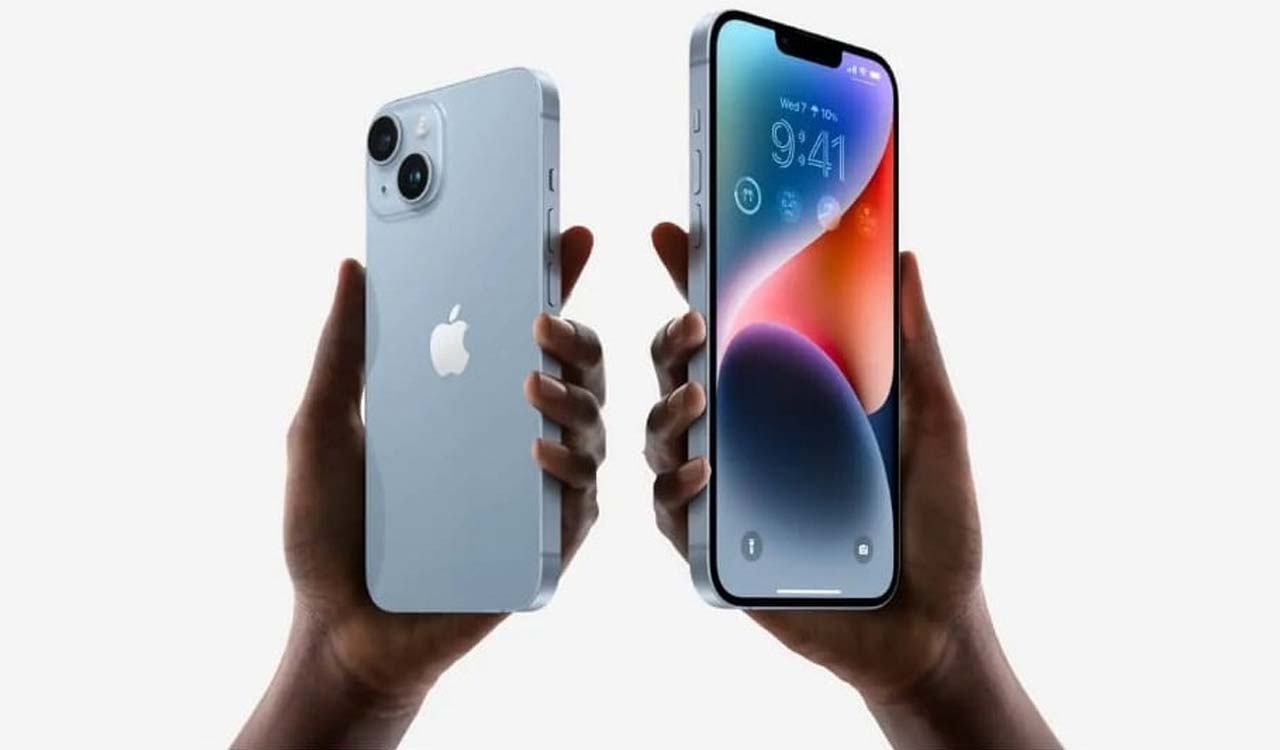
Hyderabad: Apple iPhone users having Airtel or Jio connections can now enjoy 5G services on their 5G-enabled devices as the company started rolling out iOS 16.2 beta. The software brings 5G support on select Apple iPhones which includes iPhone 12, iPhone 13, and iPhone 14.

However, 5G services are available in select cities only. You will be able to use 5G only if you live in the cities where Airtel and Jio 5G services are live.

Also Read

  • 5G service revenue to reach $315 billion globally in 2023
  • Reliance Jio formally launches 5G services
  • Cyber Talk: What’s 5G? Here’s what you need to know

First, register for the Apple Beta Software Program. Here’s how to do it: 

  1. Go to the Apple Beta Software Program website
  2. On the webpage, click on the sign up option
  3. Next, sign in with your Apple ID and password, and follow the on-screen instructions

Here’s how to install iOS 16.2 on your iPhone: 

  1. Open the Settings app on your iPhone
  2. Select General and then select Software Update
  3. Download and install the iOS 16.2 updates on your device. Your iPhone will restart once it is done

How to activate 5G? 

  1. Go to settings
  2. Tap on the mobile data option
  3. Select mobile data options and then select voice and data
  4. Here, you will see three options – 4G on, 5G on, and 5G Auto. The last option will allow your device to automatically shift between the two networks depending on the availability
  5. To activate 5G, select 5G on or 5G Auto

  • Follow Us :
  • Tags
  • 5G
  • 5G services
  • iPhone
  • jio 5g

Related News

  • iPhone 18 launch: Here is what you can expect

    iPhone 18 launch: Here is what you can expect

  • Woman dies by suicide after dispute over iPhone purchase in Hyderabad

    Woman dies by suicide after dispute over iPhone purchase in Hyderabad

  • WhatsApp rolls out new features including AI photo editing, chat transfer and dual accounts on iPhone

    WhatsApp rolls out new features including AI photo editing, chat transfer and dual accounts on iPhone

  • iPhone becomes India’s top single export item worth $23 billion last year

    iPhone becomes India’s top single export item worth $23 billion last year

Latest News

  • BRS stages protest to protect Cantonment land from encroachment

    8 mins ago
  • Fourteen injured in stray dog attack in Jagtial village

    16 mins ago
  • FIFA WC 2026: Dias backs Ronaldo amid criticism after Portugal draw

    13 mins ago
  • Women’s T20 WC: Ashleigh Gardner back for Australia as Netherlands opt to bowl

    41 mins ago
  • FIFA WC: When and where to watch Tunisia vs Japan; know all details

    53 mins ago
  • FIFA WC 2026: Morocco overpower Scotland to seize control of Group C

    54 mins ago
  • FIFA WC: When and where to watch Spain vs Saudi Arabia; know all details

    1 hour ago
  • Siddipet brothers Afridi, Arfaz looks to shine in TG20 league

    1 hour ago

company

  • Home
  • About Us
  • Contact Us
  • Privacy Policy

business

  • Subscribe

telangana today

  • Telangana
  • Hyderabad
  • Latest News
  • Entertainment
  • World
  • Andhra Pradesh
  • Science & Tech
  • Sport

follow us

  • Telangana Today Telangana Today
Telangana Today Telangana Today

© Copyrights 2024 TELANGANA PUBLICATIONS PVT. LTD. All rights reserved. Powered by Veegam