Monday, Jun 15, 2026
English News
  • Hyderabad
  • Telangana
  • AP News
  • India
  • World
  • Entertainment
  • Sport
  • Science and Tech
  • Business
  • Rewind
  • ...
    • NRI
    • View Point
    • cartoon
    • My Space
    • Education Today
    • Reviews
    • Property
    • Lifestyle
E-Paper
  • NRI
  • View Point
  • cartoon
  • My Space
  • Reviews
  • Education Today
  • Property
  • Lifestyle
Home | Hyderabad | Heres How You Can Watch Google 3d Animals At Home

Here’s how you can watch Google 3D animals at home

Hyderabad: Do you know that you can watch 3D animals in your living spaces through your phone? Well, for the unversed, Google’s one of a kind feature in its search allows you to watch augmented reality (AR) animals right at home, or wherever you are. A variety of animals, including fish, snakes, bears, cats, cheetahs, […]
By Telangana Today
Published Date - 9 August 2022, 05:17 PM
Here’s how you can watch Google 3D animals at home
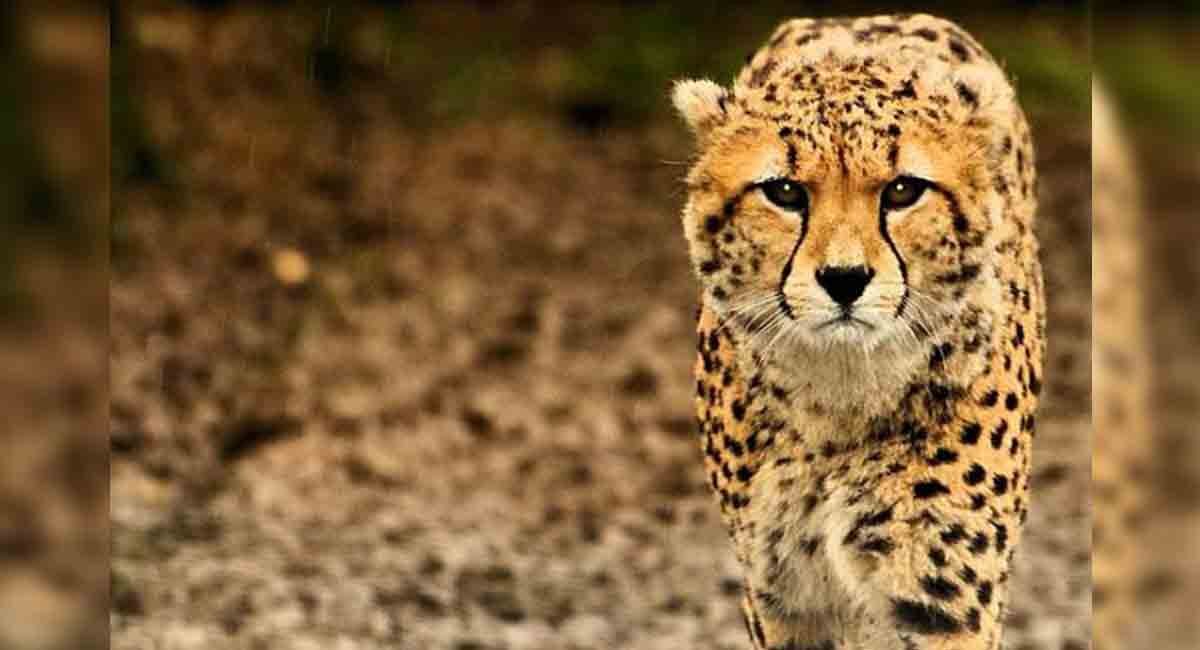
Representational Image
whatsapp facebook twitter telegram

Hyderabad: Do you know that you can watch 3D animals in your living spaces through your phone? Well, for the unversed, Google’s one of a kind feature in its search allows you to watch augmented reality (AR) animals right at home, or wherever you are.

A variety of animals, including fish, snakes, bears, cats, cheetahs, deer, dogs, ducks, eagles, penguins, pandas, goats, horses, leopards, lions, tigers, turtles, wolves, macaws, octopus, raccoons, and sharks, can be seen through this feature in 3D.


Here’s how you can watch these animals in 3D:

1. Open Google on your phone. For iPhone, Google app doesn’t work, instead you can experience 3D animals via your Google chrome. Notably, you can watch 3D animals only using your smartphone. You cannot watch them on your laptops and PC.

2. First, type the name of the animal on Google search bar. For example: type google.com on the search bar and type ‘Cheetah’

3. A cheetah image will appear. You will then need to scroll down and click on the ‘View in 3D’ option.

4. Point your phone’s camera in an empty space and move your smartphone from one end of the room to another. Keep moving your phone slowly.

5. Once you see the animal in your space through your camera, you can also click an image or record a video through the shutter button in the middle.

  • Follow Us :
  • Tags
  • Animals
  • augmented reality
  • Google

Related News

  • Several Stanford students stage walk-out as Google CEO Sundar Pichai begins speech

    Several Stanford students stage walk-out as Google CEO Sundar Pichai begins speech

  • AP CM Naidu’s two-day Singapore visit focuses on investment and infrastructure

    AP CM Naidu’s two-day Singapore visit focuses on investment and infrastructure

  • Pradhan reviews NEET-UG re-exam security, orders crackdown on fake Telegram channels

    Pradhan reviews NEET-UG re-exam security, orders crackdown on fake Telegram channels

  • Google down for over 3 hours on Tuesday

    Google down for over 3 hours on Tuesday

Latest News

  • Amavasya impacts attendance as Telangana schools reopen

    9 mins ago
  • Farmer electrocuted after coming into contact with snapped power line in Medak

    12 mins ago
  • Steven Spielberg scrapped opera film with Colman Domingo

    17 mins ago
  • Key players in US-Iran peace deal

    19 mins ago
  • Telangana schools reopen after 52-day summer break; breakfast scheme relaunched

    34 mins ago
  • Patna coaching dispute case: Court grants bail to Roshan Anand

    44 mins ago
  • Mithun Chakraborty’s daughter Dishani gets engaged

    51 mins ago
  • TMC MP Abhishek Banerjee appears before ED in primary school jobs scam case 

    54 mins ago

company

  • Home
  • About Us
  • Contact Us
  • Privacy Policy

business

  • Subscribe

telangana today

  • Telangana
  • Hyderabad
  • Latest News
  • Entertainment
  • World
  • Andhra Pradesh
  • Science & Tech
  • Sport

follow us

  • Telangana Today Telangana Today
Telangana Today Telangana Today

© Copyrights 2024 TELANGANA PUBLICATIONS PVT. LTD. All rights reserved. Powered by Veegam