Saturday, Jul 11, 2026
English News
  • Hyderabad
  • Telangana
  • AP News
  • India
  • World
  • Entertainment
  • Sport
  • Science and Tech
  • Business
  • Rewind
  • ...
    • NRI
    • View Point
    • cartoon
    • My Space
    • Education Today
    • Reviews
    • Property
    • Lifestyle
E-Paper
  • NRI
  • View Point
  • cartoon
  • My Space
  • Reviews
  • Education Today
  • Property
  • Lifestyle
Home | Business | Heres How To File Revised It Return

Here’s how to file revised IT return 

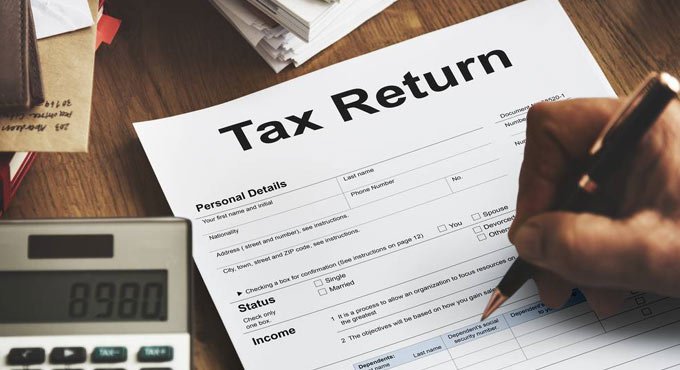
Individuals can file revised IT returns to claim a tax deduction on investments made, update their older returns, and correct personal information.
By Telangana Today
Published Date - 24 December 2022, 04:58 PM
Here’s how to file revised IT return 
whatsapp facebook twitter telegram

Hyderabad: We take utmost care while filing the income tax returns, but sometimes, taxpayers may identify a mistake only after filing the IT returns. However, it can be rectified by filing a revised return. If you fall under this category, then still there is an opportunity for you to file revised IT returns by December 31 (deadline) for the 2022-23 year.

As per Section 139(5) of the Income-tax Act, 1961, taxpayers are allowed to file revised returns within the deadline.

Also Read

  • Not required to check Aadhaar, PAN before consensual sex: Delhi HC
  • Tax filers fume as IT portal faces technical glitches

Individuals can file revised IT returns to claim a tax deduction on investments made, update their older returns, and correct personal information. There would be no penalty for making minor changes like the name change, filing the wrong return form, and mentioning the wrong bank details, but if it is for an upward revision of income, you may receive a notice from the IT department to pay the tax dues.

Once a revised return is filed, the original return is no more considered. Also, there is no limit on the number of times one can file the returns. However, frequent changes may lead to an inquiry from the IT department. It can be filed 3 months before the completion of the assessment year.

How to file 

  • Go to the official website of https://incometaxindia.gov.in/
  • Log in using your PAN card and Captcha code
  • Click on the ‘e-filing’ menu and now again click on ‘Income Tax Return’
  • On the ‘Income Tax Return’ page, select Assessment year > ITR form number > Original/ Revised Return, under ‘Filing Type’
  • Click on ‘Prepare and Submit Online’
  • Now, from the ‘General Information’ tab, choose ‘Return Filing Section’ as ‘Revised return under section 139(5)’ and ‘Return filing type’ as ‘Revised’
  • Enter the acknowledgment number and date of filing the return (original)
  • Fill in the correct details and submit the ITR

  • Follow Us :
  • Tags
  • IT returns
  • PAN card
  • revised IT returns

Related News

  • Bajaj Broking Trading Account for Beginners: Full Guide

    Bajaj Broking Trading Account for Beginners: Full Guide

  • Investing made simple: Why you need a trading app and demat account

    Investing made simple: Why you need a trading app and demat account

  • PAN may turn inactive if not linked with Aadhaar by December 31

    PAN may turn inactive if not linked with Aadhaar by December 31

  • Centre blocks some websites exposing Aadhaar, PAN details

    Centre blocks some websites exposing Aadhaar, PAN details

Latest News

  • West bengal government forms committee to examine draft uniform civil code bill

    2 mins ago
  • FSSAI issues nine notices to Swiggy Instamart over alleged food safety violations

    24 mins ago
  • Shubman Gill names Roger Federer as his favourite tennis player

    53 mins ago
  • Centre issues fresh National Anthem, National Song guidelines

    53 mins ago
  • Anne Hathaway says she hopes her children grow up to be like Tom Holland

    55 mins ago
  • Tension prevails as police detain Sabitha Indra Reddy on way to visit Shabad murder victims’ kin

    2 hours ago
  • Akanksha Ranjan joins Dhurandhar trend with behind-the-scenes post from Ikka

    57 mins ago
  • Mild earthquake shakes Hingoli district in Maharashtra

    2 hours ago

company

  • Home
  • About Us
  • Contact Us
  • Privacy Policy

business

  • Subscribe

telangana today

  • Telangana
  • Hyderabad
  • Latest News
  • Entertainment
  • World
  • Andhra Pradesh
  • Science & Tech
  • Sport

follow us

  • Telangana Today Telangana Today
Telangana Today Telangana Today

© Copyrights 2024 TELANGANA PUBLICATIONS PVT. LTD. All rights reserved. Powered by Veegam